
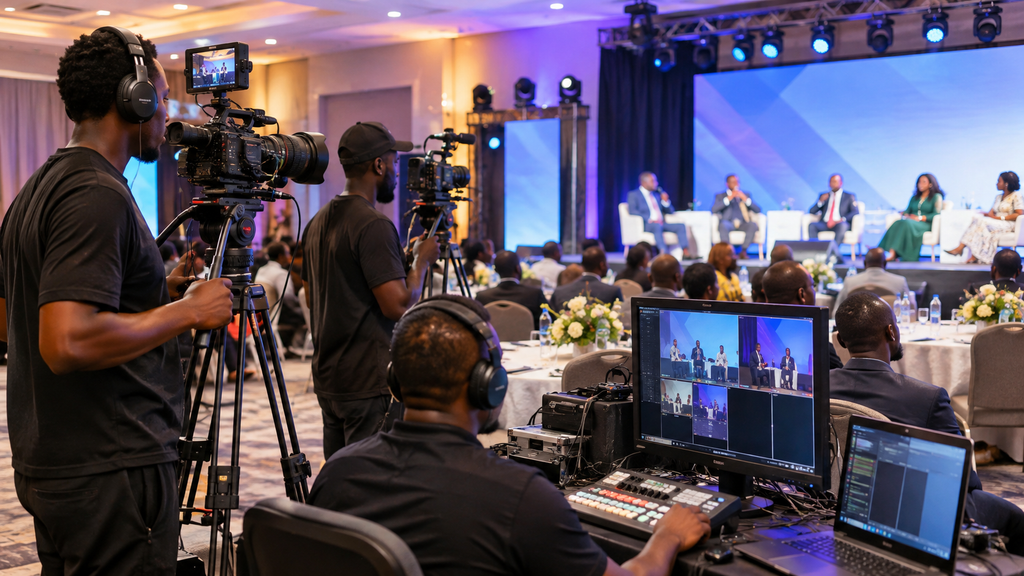
Imagine organising a major business conference in Lagos. Your speakers are ready, the venue looks impressive, and hundreds of guests have registered to attend online.
Then, ten minutes into the keynote presentation, the audio disappears. The video begins freezing, and online participants start complaining that they cannot follow the discussion.
The physical event continues, but the remote audience is missing the experience.
This is why corporate event live streaming requires more than a good camera and a fast internet connection. A reliable broadcast depends on preparation, coordination, technical testing and a clear backup plan.
Whether your organisation is hosting an annual general meeting, product launch, business summit or hybrid conference, these ten checks will help you prepare for a smoother broadcast.
1. Define what your online audience needs to experience
Before choosing cameras or streaming platforms, clarify the purpose of your broadcast.
Are remote participants expected to watch presentations, ask questions, vote, interact with speakers or simply follow the programme?
The answer affects your production requirements.
For example, a company town hall may require clear speech, presentation slides and audience questions. A product launch might need multiple camera angles, product demonstrations and pre-recorded videos.
A shareholders’ meeting could require controlled access and procedures for authorised participation.
Start by identifying the most important moments your online viewers must see and hear.
Then decide how the broadcast should support those moments.
A good live stream should feel like an intentional experience, not a camera placed at the back of the hall.
2. Test the internet connection at the actual venue
One of the biggest mistakes event organisers make is assuming that a venue’s Wi-Fi will be sufficient for professional streaming.
A hotel may advertise high-speed internet, but that connection could be shared by hundreds of guests, staff members and conference participants.
What matters most for broadcasting is stable upload bandwidth, not just download speed.
According to YouTube’s official streaming tips, organisers should test their upload connection and allow bandwidth headroom beyond the stream’s required bitrate. YouTube Help
For an event in Lagos, Abuja or Port Harcourt, arrange a venue-specific test before the production day.
Check the connection during a busy period, ask whether dedicated wired internet is available, and confirm whether a separate mobile-data connection can serve as backup.
If possible, avoid relying exclusively on public Wi-Fi.
3. Have a backup internet connection
Even a strong primary internet connection can experience interruptions.
Network congestion, damaged cables, provider outages or equipment problems can disrupt a broadcast without warning.
For important corporate events, consider having a second connection from an independent provider or network.
The backup should be tested rather than simply kept nearby.
Your technical team should know how to switch connections and how long the interruption might last.
For particularly sensitive broadcasts, ask whether the production system supports automatic connection failover or multiple bonded connections.
The objective is not to promise that interruptions can never happen. It is to reduce their likelihood and make recovery faster.
4. Prioritise clear audio over elaborate visuals
Online viewers may tolerate a less dramatic camera angle, but they will struggle to follow a presentation if the sound is distorted or inconsistent.
This makes audio one of the most important parts of corporate event live streaming.
Check every microphone that will be used, including podium microphones, handheld microphones, lapel microphones and audience question microphones.
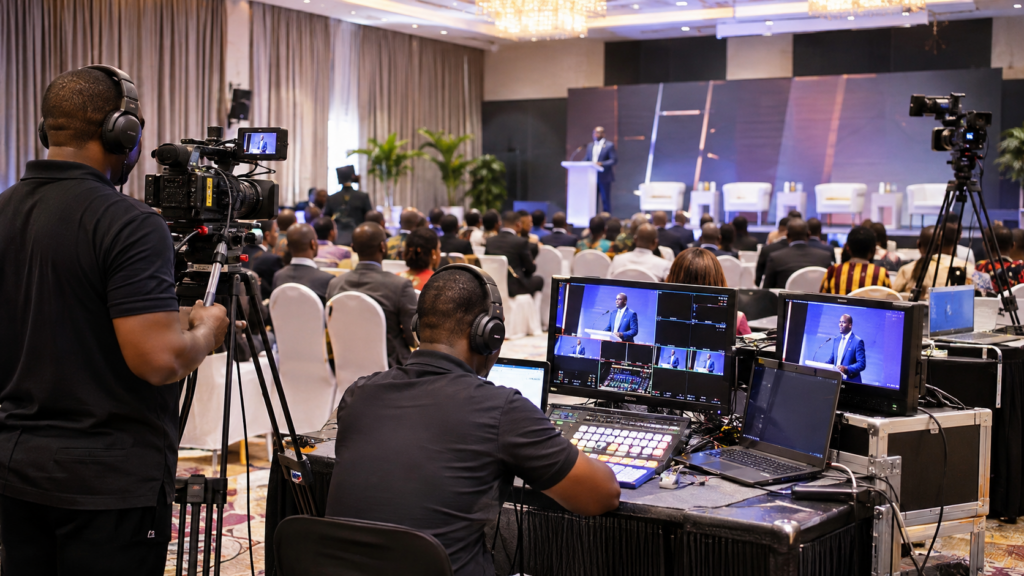
Confirm that the production team can receive a clean audio feed from the venue’s sound system.
Also, remember that sound inside the hall may differ significantly from what remote viewers hear.
A microphone can sound acceptable through the venue speakers while being too quiet, distorted or completely absent from the online broadcast.
Assign someone to monitor the actual streamed audio using headphones throughout the event.
5. Choose camera coverage based on the programme
Not every corporate event requires five cameras.
However, relying on one stationary camera may limit what remote viewers can see.
For a conference with presentations and panel discussions, a practical setup might include a wide camera covering the stage, a closer camera for speakers, and another angle for audience interaction.
A multi-camera system allows the production team to switch between perspectives without interrupting the programme.
It can also make the broadcast easier to follow, especially when speakers move around or discussions involve several participants.
Before committing to equipment, review the event programme and identify which camera angles are genuinely necessary.
Organisations planning broader event documentation can also consider professional photography and videography services alongside their live broadcast. HD MEDIA
6. Plan for electricity interruptions
Reliable power is essential for cameras, video switchers, audio equipment, internet devices and production computers.
In Nigeria, event organisers should specifically discuss backup power arrangements with the venue and technical team.
Ask whether the venue has a generator, how quickly backup power activates and which sockets are connected to that supply.
An uninterruptible power supply (UPS) can help protect critical equipment from short power interruptions, although its capacity and runtime must be appropriate for the connected load.
Do not assume that because the venue’s lights remain on, every technical device will also remain powered.
Check the actual circuits supporting the production setup.
A short power interruption at the wrong moment can disconnect the encoder, stop recording or interrupt the online audience’s experience.
7. Rehearse the full broadcast before event day
A technical rehearsal should test the entire experience, not just whether the cameras turn on.
Run through the opening video, microphone changes, speaker introductions, presentation slides, camera switching and any remote guest connections.
If the event includes a live product demonstration, rehearse it using the same equipment and network environment planned for the actual broadcast.
Zoom’s virtual event guidance recommends practising in advance and using the devices intended for the event. Zoom
For a major conference, schedule a full technical rehearsal where possible, followed by shorter final checks on event day.
This gives the production team time to identify problems while there is still an opportunity to correct them.
8. Confirm the streaming platform and access arrangements
Your choice of platform should reflect how participants are expected to attend.
YouTube Live may be suitable for a public-facing conference or launch. A webinar platform may be more appropriate for controlled registration, moderated questions or business presentations.
A private event might require password protection or an authenticated participant list.
Before the event, confirm who owns the streaming account, who has administrative access, whether the event is public or restricted, and how participants will receive the viewing link.
Also check that the selected platform supports the intended resolution, frame rate and encoder settings.
For example, YouTube’s encoder settings documentation explains supported resolutions, video bitrates and encoding requirements. YouTube Help
Finally, test the viewing experience on both mobile phones and computers. Many participants will join from devices other than laptops.
9. Assign clear responsibilities to the production team
Technical equipment is important, but communication between people is equally critical.
During a corporate broadcast, someone needs to manage the overall programme while others focus on cameras, audio, graphics and streaming stability.
For smaller events, one operator may handle multiple responsibilities. Larger or more complex events benefit from dedicated roles.
At minimum, clarify who will communicate with the event organiser, approve the start of the broadcast, coordinate speaker changes, monitor stream quality and respond to unexpected problems.
Create a simple run-of-show document showing the programme sequence, speaker names, video playback points and important transitions.
Include contact details for the venue’s technical representative and the event decision-maker.
This helps prevent confusion when changes occur.
10. Record the event independently of the live stream
A live stream should not be your only copy of an important corporate event.
Where technically feasible, arrange a local recording that does not depend on the internet connection.
That way, even if the broadcast experiences temporary problems, your organisation may still have usable footage for internal records and future communication.
Confirm whether the recording should include presentation slides, the programme output, separate camera feeds or clean audio.
Also establish how the files will be backed up, who will receive them and what editing is required after the event.
A recorded conference can support internal training, stakeholder updates and future marketing.
For additional ideas, read How to Get 30 Pieces of Content From One Event, which explains how event footage can become multiple useful communication assets.
A practical corporate live streaming checklist
Before opening your event to online viewers, confirm the following:
- The programme and online audience requirements are clear.
- Primary and backup internet connections have been tested.
- Microphones and streamed audio have been checked.
- Camera positions and presentation feeds are working.
- Critical production equipment has appropriate backup power.
- Streaming access and viewing links are confirmed.
- The production team has rehearsed important transitions.
- A local recording and recovery plan are in place.
Keep this checklist with the event manager and production lead. It can help everyone identify outstanding issues before guests arrive.
How much preparation does a corporate live stream need?
The answer depends on the complexity of the event.
A short internal company announcement may require a relatively simple production. A hybrid conference with multiple speakers, remote participants, presentation videos and audience interaction will need more detailed coordination.
The important consideration is risk.
Ask what would happen if the internet failed, a microphone stopped working, a speaker arrived late or the event programme changed.
The more significant the consequences, the more attention should go into testing, redundancy and technical supervision.
Final thoughts: A successful broadcast begins before the event
Reliable corporate event live streaming is not simply about transmitting video to the internet.
It is about giving remote participants a clear, accessible and consistent experience while protecting the organisation’s message.
Strong preparation helps reduce avoidable disruptions and gives the technical team a better chance of responding effectively when something unexpected happens.
If your organisation is planning a conference, product launch, annual meeting or hybrid event in Nigeria, contact HDMedia to discuss your broadcast requirements. HDMedia offers multi-camera live streaming, event videography and related production services, with planning tailored to the event’s objectives. HD MEDIA+1